

No engineering group wants to move slower. Yet, moving fast without stability means you are only going to break the production even faster.
This is where proper infrastructure can make an immense difference. With the help of CI/CD Pipeline Best Practices, engineers will be able to ship code more often and save themselves from endless “why was deployment failed?” phone calls.
In this guide, we are going to look at the state-of-the-art CI/CD infrastructure in 2026, Best Practices that need to be followed, and common mistakes.
Table of Contents
- What Is a CI/CD Pipeline?
- Why CI/CD Pipeline Best Practices Matter in 2026
- Top CI/CD Pipeline Best Practices to Follow
- Common CI/CD Mistakes Teams Still Make
- Recommended CI/CD Tools (2026)
- How OpsBee Technology Helps Teams Build Reliable CI/CD Pipelines
- Final Thoughts: Treat Your Pipeline Like a Product, Not a One-Time Setup
What Is a CI/CD Pipeline?
CI/CD pipeline refers to the automation process of delivering code from the point of committing to deployment in production through the building and testing of the code in automation.
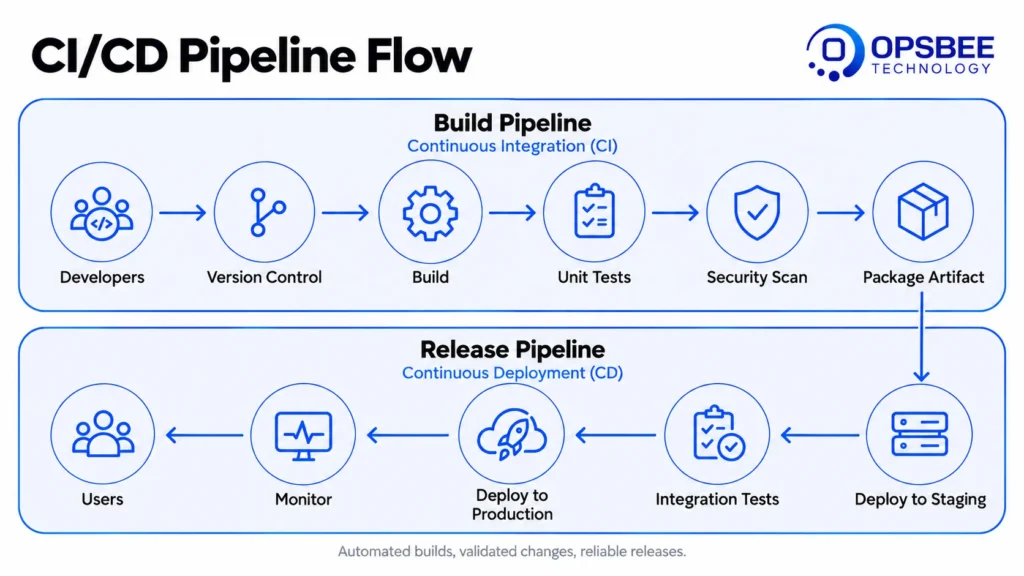
- Continuous Integration (CI): This is the automatic building and testing of the code once committed.
- Continuous Deployment (CD): This is the release of the code into a staging or production environment once tested.
These two processes are key in DevOps automation.
Why CI/CD Pipeline Best Practices Matter in 2026
Modern pipelines are not just about automation but rather reliability in large-scale systems. The more frequent deliveries become within various teams, the more requirements arise:
- In-baked security in all steps of each pipeline, not a separate step to add afterwards
- Shorter feedback loops for developers not to wait for 30+ minutes, whether or not the build was successful
- Scalable pipelines for microservices rather than for one monolithic big build
- Deployment rate and change failure rate monitored as measurable values
The State of DevOps study conducted by DORA consistently shows that high-performing teams deploy on demand multiple times a day with change failure rates at less than 15%, while low performers deploy monthly or less and fail much more often. The difference between the two can be easily accounted for by pipeline discipline, not team size or funding.
Those that master this skillship safely and efficiently. Those that fail waste their time firefighting.
Top CI/CD Pipeline Best Practices to Follow
1. Keep Your Pipeline Fast
Slow pipelines silently sabotage productivity. In general, try to ensure that all builds take less than 10 minutes because after this time developers will start switching between tasks and forget what they were testing. Divide the large tests into smaller pieces so that builds will take several minutes, not several hours.
2. Run Tests in Parallel, Not Sequentially
The process of executing unit tests, integration tests, and security tests consecutively can consume a lot of time. A test suite that takes 25 minutes when executed sequentially can be reduced to 6-8 minutes when executed in parallel on any CI platform.
3. Shift Security Left
Introduce static code analysis, dependency scanning, and container scanning at an early stage of the process, not as the last barrier before deployment. This is precisely what DevSecOps is all about – identifying a vulnerable dependency at the commit stage may take several minutes, while doing it in production takes several days.
4. Automate Rollbacks
Deployments can fail. The key is speed in recovery. Automated rollback processes make a possible failure a non-issue. Blue-green deployments are an example of this strategy. It involves switching traffic back to a known good deployment instantaneously. A second example is a canary release. In this process, a portion of traffic is deployed first.
5. Treat Pipeline Configuration as Code
Pipeline descriptions (YAML files, scripts) should be stored in source control, reviewed for code quality, and tested the same way as code for applications.
This kind of configuration resides within the repository itself, which means that any modification to the pipeline follows the same review process as the rest of the application code.
6. Keep Environments Consistent
The staging process should resemble the production process as much as possible. Failures in “it worked on staging” usually arise because of environment drift.
7. Monitor Pipeline Health, Not Just App Health
Measure build times, failure rates, and frequency of deployments. Continuous deployment needs to be measurable rather than assumed.
8. Use Infrastructure as Code Alongside CI/CD
Connecting your pipeline to Infrastructure as Code (Terraform, Ansible) guarantees that the environment will be reproducible each time you deploy.
Common CI/CD Mistakes Teams Still Make 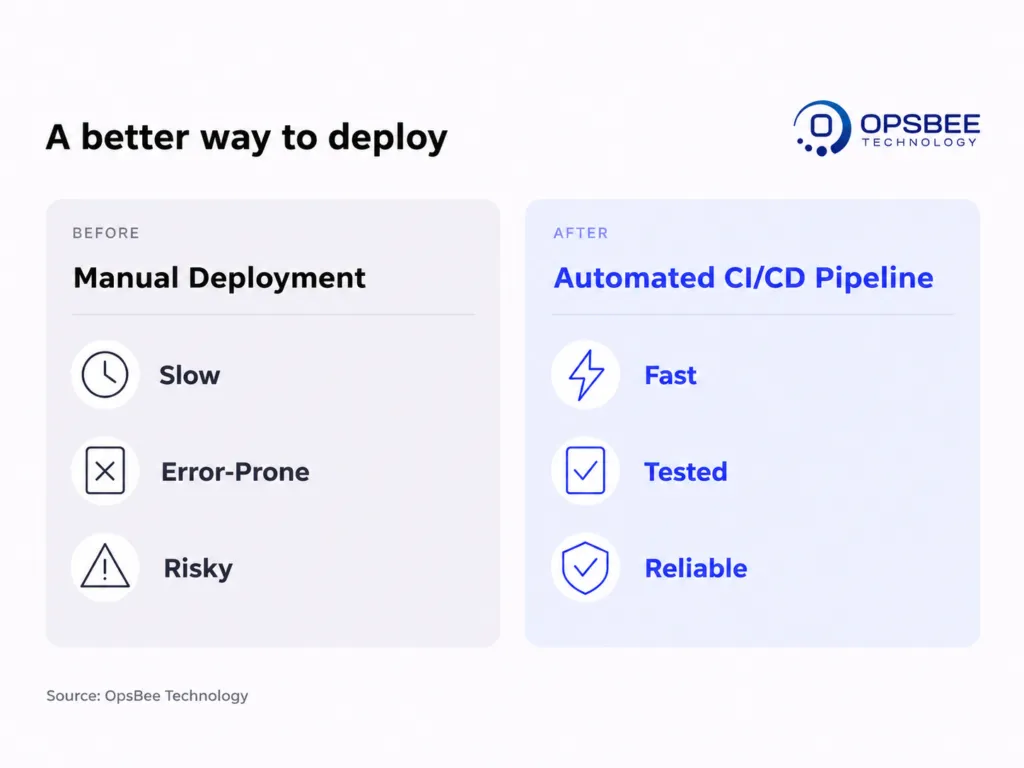
- Considering the pipeline as a set-and-forget process rather than as one that needs ongoing maintenance
- Bypassing security checks in the pipeline to “save time”
- No defined roll-back strategy in case of failure during deployment
- A monolithic pipeline as opposed to a series of reusable stages
- Not tracking pipeline performance over time
Recommended CI/CD Tools (2026)
The practices listed above become easier when appropriate tools handle some of the burden. The following is a list of the tools that engineering teams use most often in 2026 for the development, testing, and deployment process through the CI/CD pipeline:
Tool | Purpose |
GitHub Actions | Native CI/CD automation tightly integrated with GitHub repositories. |
GitLab CI/CD | Built-in pipelines for teams already using GitLab for source control. |
Jenkins | Highly customizable, self-hosted automation server for complex pipelines. |
ArgoCD | GitOps-based continuous deployment for Kubernetes environments. |
SonarQube | Static code analysis for code quality and security scanning in CI. |
How OpsBee Technology Helps Teams Build Reliable CI/CD Pipelines
A pipeline that is not only fast and secure but scalable with respect to your organization needs more than just connecting some tools. At OpsBee Technology, we assist engineering teams in designing, implementing, and managing CI/CD pipelines according to their own process and not vice versa.
Our related services include:
- DevSecOps Services (includes secured CI/CD pipeline implementation)
- Cloud Automation Services
- Kubernetes & Containerization Services
Explore our full range of services at OpsBee Technology
Final Thoughts: Treat Your Pipeline Like a Product, Not a One-Time Setup
A dependable CI/CD pipeline is not created once and left alone. The techniques listed above can serve as a great start for you, but no two engineering teams are alike.
In case your existing pipeline seems to be too slow or unreliable, it might be worth your while to get it evaluated by professionals.
Contact our experts at OpsBee Technology today to build a CI/CD pipeline that keeps up with your team, not the other way around.
Get in touch with OpsBee Technology →