

Modern applications demand speed, scalability, and efficiency. Whether you are running microservices, APIs, or AI workloads, Docker has become the industry standard for packaging and deploying applications consistently across environments.
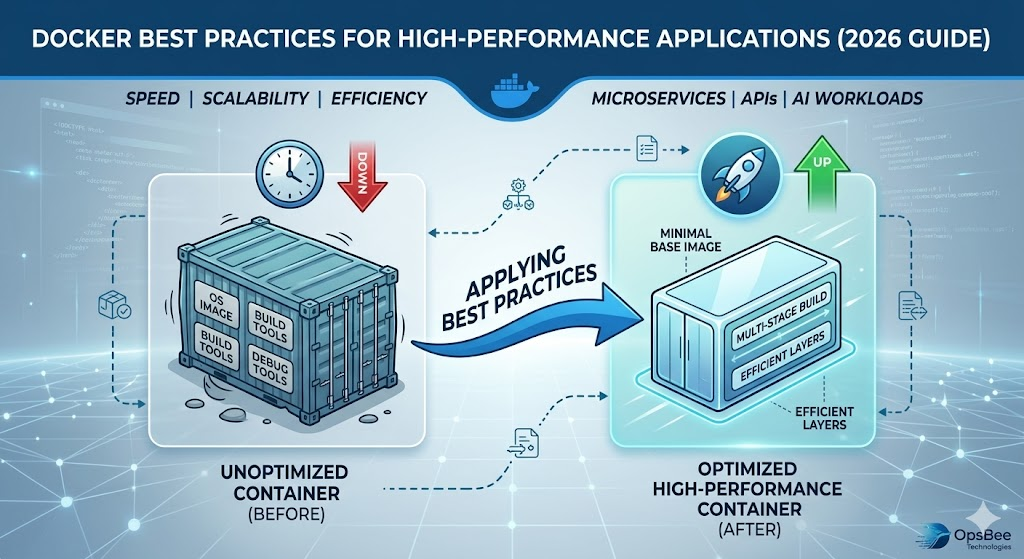
However, simply using Docker is not enough. The way you design, configure, and optimize containers directly impacts application performance, security, and scalability.This guide explains the most effective Docker best practices for high-performance applications in 2026.
What is Docker?
Docker is a leading containerization platform that packages applications along with their dependencies into lightweight, portable containers. These containers run consistently across different environments, allowing developers and organizations to build, test, and deploy applications faster and more reliably.
By isolating applications from the underlying infrastructure, Docker simplifies software delivery, improves portability, and enables businesses to adopt modern cloud-native architectures with greater flexibility and scalability.
Why Does Docker Performance Matters?
Docker performance directly impacts application speed, scalability, operational efficiency, and infrastructure costs. An optimized Docker environment helps organizations:
- Ensure consistent performance across development, staging, and production
- Accelerate deployments and release cycles
- Improve CPU and memory utilization
- Simplify scaling in cloud-native environments
- Enhance application reliability and stability
However, poorly optimized containers can lead to high resource consumption, slower startup times, increased cloud costs, and unstable production environments.
Docker Best Practices for High-Performance
- Use Lightweight Base Images
- The base image you choose plays a critical role in application performance, security, and startup time. Instead of using heavy operating system images
- It is recommended to rely on minimal and optimized distributions such as Alpine Linux, Distroless images, or slim variants like python:slim and node:alpine.
- Smaller base images significantly improve overall efficiency by enabling faster builds, reducing the attack surface, and lowering memory consumption.
2. Implement Multi-Stage Builds
Multi-stage builds allow you to separate build-time dependencies from the final runtime environment. This ensures that the production Docker image contains only the essential components required to run the application, without unnecessary build tools or files.
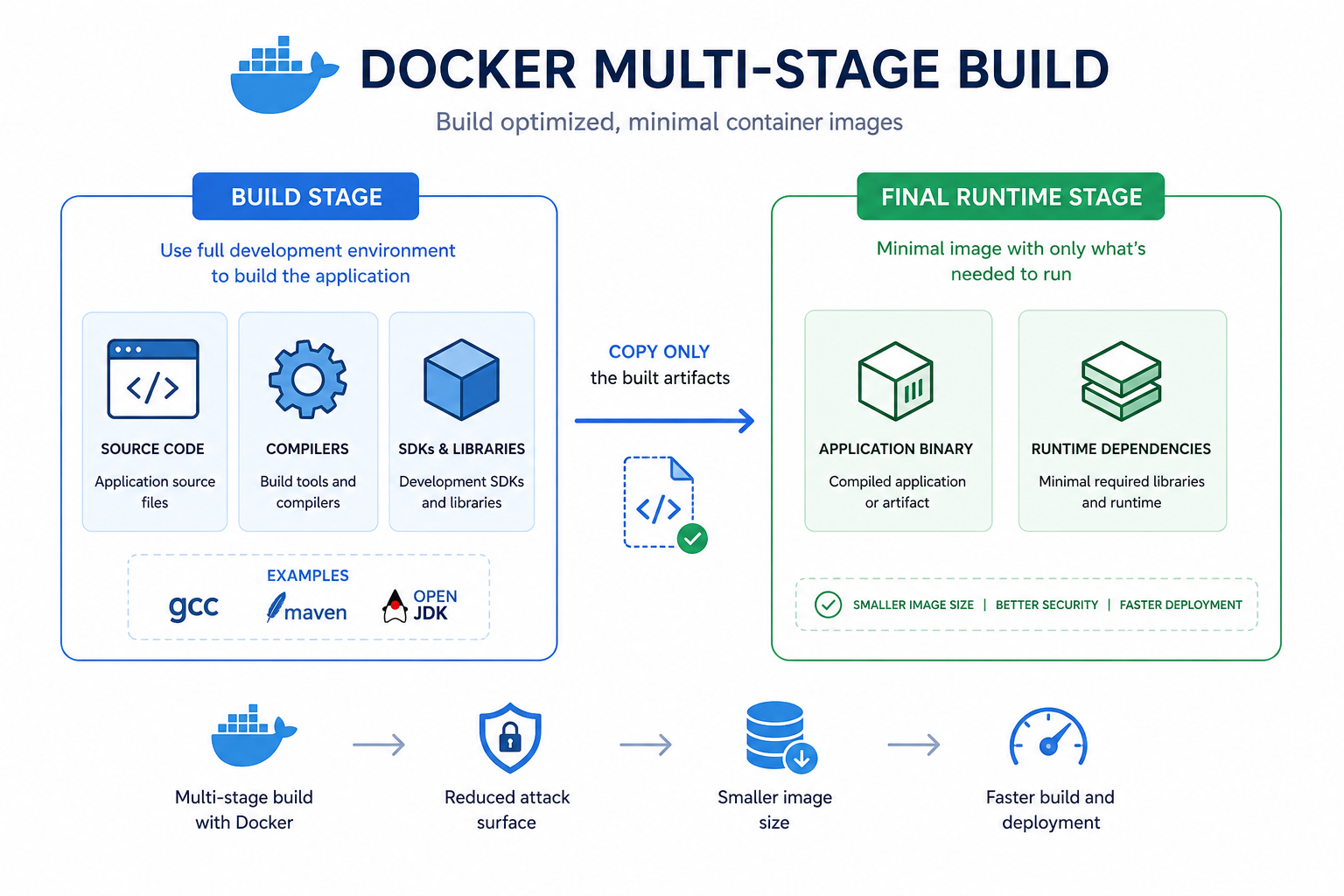
Benefits of Multi-Stage Builds:
- Smaller image size
- Faster deployments
- Cleaner production environments
- Reduced security vulnerabilities
By compiling the application in one stage and using a minimal runtime image in another, multi-stage builds significantly improve performance, security, and overall container efficiency.
3. Optimize Layer Caching
Docker builds images in layers, and when the Dockerfile is not structured properly, even a small change can trigger a full rebuild. To optimize this:
- Place stable dependencies at the top of the Dockerfile
- Copy only the necessary files early in the build process
- Keep frequently changing application code in the later layers
It is also important to use .dockerignore to exclude unnecessary files and reduce build context size, along with dependency caching for tools like npm, pip, and Maven.
4. Reduce Image Size Aggressively
Smaller Docker images significantly improve performance by making containers faster to build, transfer, and run.
- Techniques: Remove unnecessary packages, clean package manager caches after installation, and avoid debug tools in production.
- Benefits: Faster image pull times, reduced deployment time, and lower startup latency.
5. Run Containers as Non-Root Users
Running containers as the root user increases security risks. To follow a least-privilege approach:
- Create a dedicated non-root user inside the container.
- Use the USER directive in the Dockerfile.
- Restrict filesystem permissions.
6. Optimize Resource Allocation
Containers should never consume unlimited resources, as this can lead to instability. Use Docker’s management mechanisms:
- CPU limits (–cpus)
- Memory limits (–memory)
- Restart policies for resilience
- Resource reservations in orchestration platforms (e.g., Kubernetes)
7. Efficient Logging Strategies in Docker
Logging in containerized environments must be lightweight, structured, and decoupled from the container’s internal filesystem to support ephemeral, distributed architectures.
- Best Practices: Always direct application logs to stdout and stderr. This allows the Docker daemon to capture and route logs to your chosen logging driver. Avoid heavy, file-based logging within the container, as it consumes unnecessary disk space and complicates log rotation. Whenever possible, adopt structured logging (like JSON) to enable faster querying, easier parsing, and more precise analysis in your monitoring systems.
- Observability Integration: Don’t just generate logs—centralize them. Integrate your pipeline with robust observability stacks to gain actionable insights.
- Recommended Tools: Leverage the ELK Stack (Elasticsearch, Logstash, Kibana) for deep log analysis, or use Prometheus and Grafana to visualize log patterns alongside system metrics. For managed, high-scale solutions, Datadog provides excellent turn-key visibility into containerized logs.
8. Monitor Container Performance Continuously
Performance optimization is not a one-time configuration; it is a continuous cycle of observation and refinement. Because containers are highly dynamic, you need real-time visibility to identify bottlenecks before they impact your users.
- Key Metrics to Track: You should prioritize monitoring CPU and memory utilization to detect leaks or over-provisioning, container restart counts to identify stability issues, and latency/response times to ensure your application meets performance SLAs.
- Proactive Alerting: Beyond simple monitoring, configure automated alerts. If a container’s memory threshold is exceeded or restart frequency spikes, your team should be notified immediately to intervene.
- Recommended Tools: cAdvisor is essential for collecting resource usage data directly from containers. Pair this with Prometheus for data storage and Grafana for building real-time, production-ready dashboards. Modern cloud-native observability platforms can also provide a unified view across your entire cluster, helping you maintain long-term stability and faster troubleshooting cycles.
Recommended Docker Tools (2026)
Tool | Purpose |
Docker Engine | Core runtime for building and running containers. |
Docker Compose | Simplifies multi-container application setup and management. |
Kubernetes | Enterprise-grade orchestration for scaling and managing containers. |
Docker Scout | Built-in image security scanning and vulnerability detection. |
Trivy | Lightweight tool for container and dependency vulnerability scanning. |
Accelerate Your Container Strategy with OpsBee Technologies
Docker performance depends on how well containers are designed and managed. With the right best practices, organizations can improve application speed, reduce infrastructure costs, strengthen security, and achieve scalable cloud-native performance.
At OpsBee Technologies, we help businesses build and optimize container ecosystems using Docker, Kubernetes, CI/CD automation, and DevSecOps practices—ensuring fast, secure, and production-ready infrastructure.