

Modern software delivery moves fast, and teams relying on manual deployments often struggle to keep pace. Continuous Integration and Continuous Delivery (CI/CD) has become a core practice for building reliable, scalable, and efficient software delivery pipelines. A well-structured CI/CD process helps automate testing, streamline deployments, and ensure every code change is production-ready.
By adopting CI/CD best practices, organizations can reduce deployment risks, increase release frequency, and improve overall software quality. This guide explores practical CI/CD strategies that engineering teams should follow in 2026 to build faster, safer, and more dependable delivery systems.
Table of Contents
- What is a CI/CD Pipeline?
- Why CI/CD Matters More in 2026
- CI/CD Pipeline Best Practices
- Recommended CI/CD Tools (2026)
- Accelerating Software Delivery with OpsBee Technologies
- Frequently Asked Questions
What is a CI/CD Pipeline?
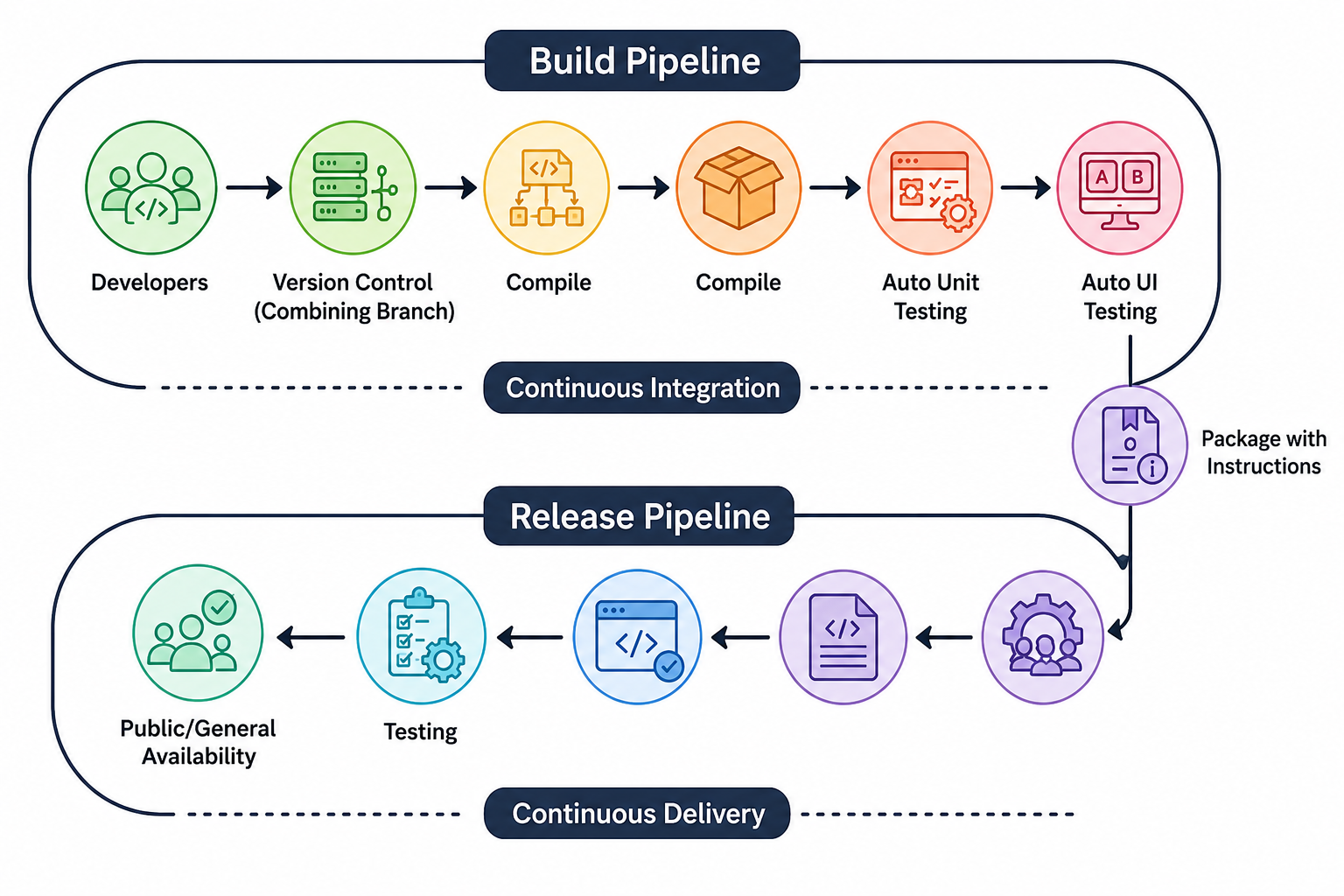
A CI/CD pipeline is an automated workflow that moves code from development to production through stages such as building, testing, security checks, and deployment. It helps engineering teams deliver applications faster, reduce deployment risks, and maintain consistent software quality.
The process begins with Continuous Integration (CI), where developers frequently merge code and run automated tests. Once the code is validated, Continuous Delivery/Deployment (CD) automatically deploys it to staging or production environments. Together, CI/CD creates a reliable and scalable software delivery process that enables teams to release updates quickly and confidently.
Why CI/CD Matters More in 2026
With cloud-native systems, microservices, and distributed teams becoming the norm, CI/CD is now a critical requirement rather than a luxury.
- It enables organizations to release software faster, reduce production failures, improve collaboration between development and operations teams, and minimize manual intervention.
- More importantly, it ensures higher software quality in an increasingly competitive digital environment.
- Organizations that fail to optimize their CI/CD pipelines often face deployment delays, rollback failures, inconsistent environments, and security vulnerabilities that directly impact business performance.
CI/CD Pipeline Best Practices
1. Keep Pipelines Fast and Efficient
A slow CI/CD pipeline can significantly impact developer productivity and delay software releases. Faster pipelines provide quicker feedback, allowing teams to identify issues early, fix bugs faster, and deliver features with greater confidence.
Organizations can improve pipeline performance by running quick unit tests first, executing test suites in parallel, caching dependencies such as npm, Maven, pip, or Docker layers, and eliminating unnecessary steps. In modern engineering environments, a well-optimized CI/CD pipeline should ideally complete within 10–15 minutes for standard applications.
2. Shift Left on Testing
Testing should begin as early as possible in the software development lifecycle. Shift-Left Testing helps teams identify bugs sooner, improve software quality, and reduce the cost of fixing issues later in production.
A strong testing strategy includes Unit Tests for individual components, Integration Tests for service interactions, and End-to-End (E2E) Tests for validating complete user workflows. This approach improves application reliability, accelerates release cycles, and enables faster, more confident software delivery.
3. Automate Everything Possible
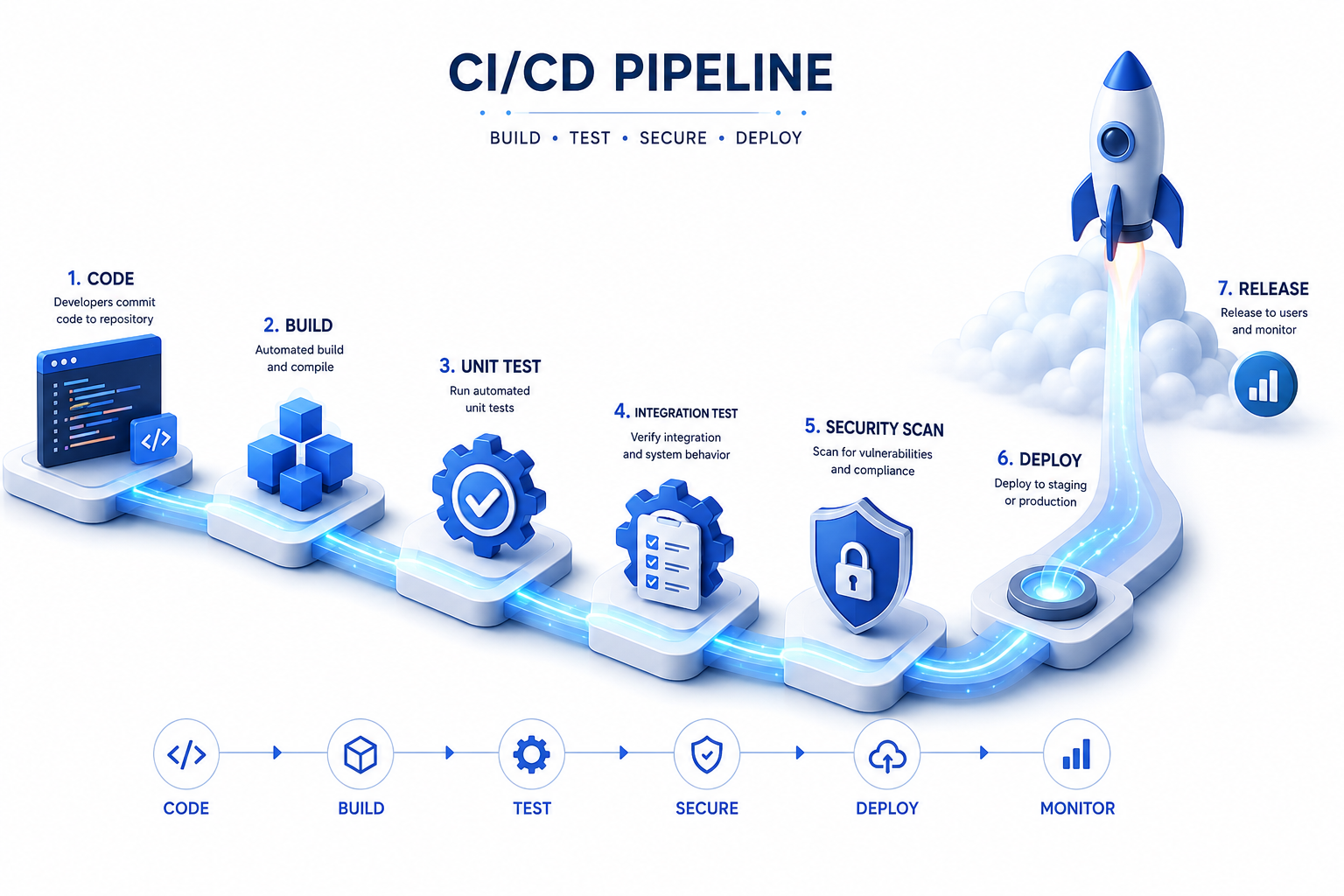
Manual intervention is a major cause of deployment errors. A modern CI/CD pipeline should automate all key steps to improve speed, consistency, and reliability.
What to Automate:
- Code builds
- Testing
- Security scans
- Deployment
- Rollbacks
CI/CD Tools: Tools like GitHub Actions, GitLab CI/CD, Jenkins, and CircleCI help teams achieve full automation and significantly reduce human error.
4. Implement Pipeline as Code
CI/CD pipelines should be treated as code and stored in version control systems alongside application code. This ensures consistency, traceability, and collaboration. Using tools like GitHub Actions YAML workflows, GitLab CI configuration files, or Jenkins declarative pipelines allows teams to manage pipelines just like software code, making rollbacks and updates much easier.
5. Add Security Early (DevSecOps Approach)
Security should be built into the CI/CD pipeline, not added at the end. The DevSecOps approach ensures vulnerabilities are detected early and fixed before production.
Key Practices:
- SAST: Finds issues in source code early.
- Dependency scanning: Detects risky libraries.
- Secret detection: Prevents exposed keys and credentials.
- Container scanning: Identifies vulnerabilities in images.
6. Use Proper Environment Separation
Deploying code directly from development to production can increase the risk of bugs and deployment issues. A reliable CI/CD pipeline should move code through development, staging, and production environments to ensure proper testing and validation. Keeping these environments separate and closely aligned with production helps teams deliver updates more safely and consistently.
7. Implement Blue-Green and Canary Deployments
Modern deployment strategies reduce downtime and lower deployment risks by releasing changes in a controlled way instead of pushing them to all users at once.
- Blue-Green Deployment: Two identical environments are maintained. The new version is deployed to the inactive environment, tested, and then traffic is switched from the old version to the new one. This enables near-zero downtime and easy rollback if issues occur.
- Canary Deployment: A new version is released to a small group of users first. The system is monitored, and if stable, the rollout is gradually expanded to all users.
Both approaches improve release safety, reduce failure impact, and increase confidence in production deployments.
8. Add Proper Logging and Observability
A CI/CD pipeline is incomplete without proper visibility into its performance and health. Strong observability enables faster troubleshooting, better decision-making, and continuous improvement of the delivery process.
Popular Monitoring Tools:
- Prometheus
- Grafana
- ELK Stack (Elasticsearch, Logstash, Kibana)
- Datadog
9. Manage Secrets Securely
Never hardcode sensitive information such as API keys, passwords, or tokens in your codebase or CI/CD pipelines.
Secure Practices:
- AWS Secrets Manager
- HashiCorp Vault
- GitHub Secrets
- Securely managed environment variables
10. Enable Rollback Mechanisms
Every deployment should include a clear rollback plan to ensure fast recovery if something goes wrong. This helps maintain system stability and minimizes downtime during production issues.
- Keep stable versions of previous builds
- Automate rollback procedures
- Use versioned deployment artifacts
- Monitor system health after deployment
Recommended CI/CD Tools (2026)
Tool | Best For |
GitHub Actions | GitHub-native projects |
GitLab CI/CD | All-in-one DevOps platform |
Jenkins | Highly customizable enterprise option |
CircleCI | Fast cloud-based pipelines |
ArgoCD | GitOps-based deployments |
Accelerating Software Delivery with OpsBee Technologies
A well-designed CI/CD pipeline is essential for modern software delivery, helping teams automate workflows, improve reliability, and release applications faster. By adopting CI/CD best practices, organizations can reduce deployment risks, enhance software quality, and scale efficiently.
At OpsBee Technologies, we help businesses build secure, scalable, and high-performing DevOps environments with expertise in CI/CD, cloud infrastructure, Kubernetes, and DevSecOps. Whether you’re beginning your DevOps journey or optimizing existing processes, the right strategy can help your team deploy smarter, innovate faster, and achieve long-term success.