

Most companies realize too late that their cloud costs have spiraled completely out of control. The problem slowly develops – more instances here, an unused bucket there – until the financial department sends an email about why the bill went up 40% last month.
Frustrating about this problem is that cloud waste is almost never caused by a single large mistake; rather, wasted cloud spend is always the result of multiple smaller, less noticeable practices over time. Various industry studies have estimated that cloud waste lies within the range of 25-35% of overall cloud spending.
In this post, I’ll be explaining the seven biggest red flags that your cloud bill has gotten out of control, what’s normally causing the issue, and what can be done to fix it. Even just two or three of these points should make you take another look at your cloud infrastructure.
Table of Contents
- Why Cloud Bills Quietly Spiral Out of Control
- 7 Signs Your Cloud Bill Is Out of Control
- Common Cost Leaks vs. Fixes
- Recommended Cloud Cost Optimization Tools (2026)
- Mistakes That Make Cloud Overspending Worse
- How OpsBee Technology Helps Control Cloud Costs
- Final Thoughts: Visibility Is the First Fix, Not the Last One
Why Cloud Bills Quietly Spiral Out of Control
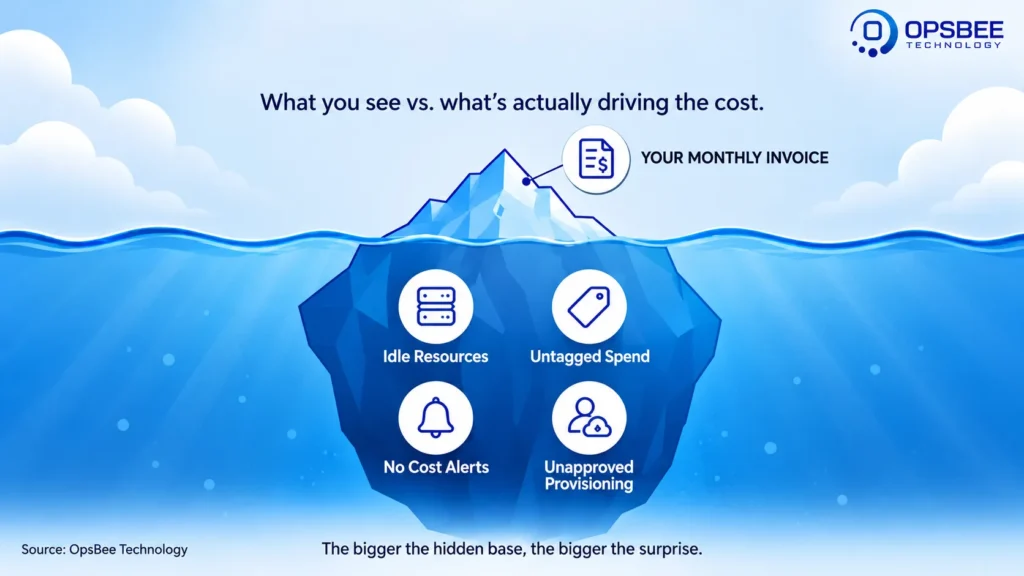
Cloud Infrastructure is designed for elasticity; that’s the very essence of its existence. Yet that elasticity is also what makes scaling up a breeze and scaling down a complete afterthought. While the data center bill would only include what was ordered, a cloud bill includes every single thing that any of the people on your team set up.
Throw into the mix several teams, different cloud accounts, and even the distinction between the production environment and the testing environment, and you end up with a perfectly valid yet utterly incomprehensible billing model without the proper process. And that’s when Cloud Cost Optimization becomes essential.
7 Signs Your Cloud Bill Is Out of Control
1. You Don’t Know Where the Money Is Going
Do you think you would be able to quickly determine which team/project/service drives the biggest share of your cloud costs, if you were suddenly asked? If not, this is signal number one.
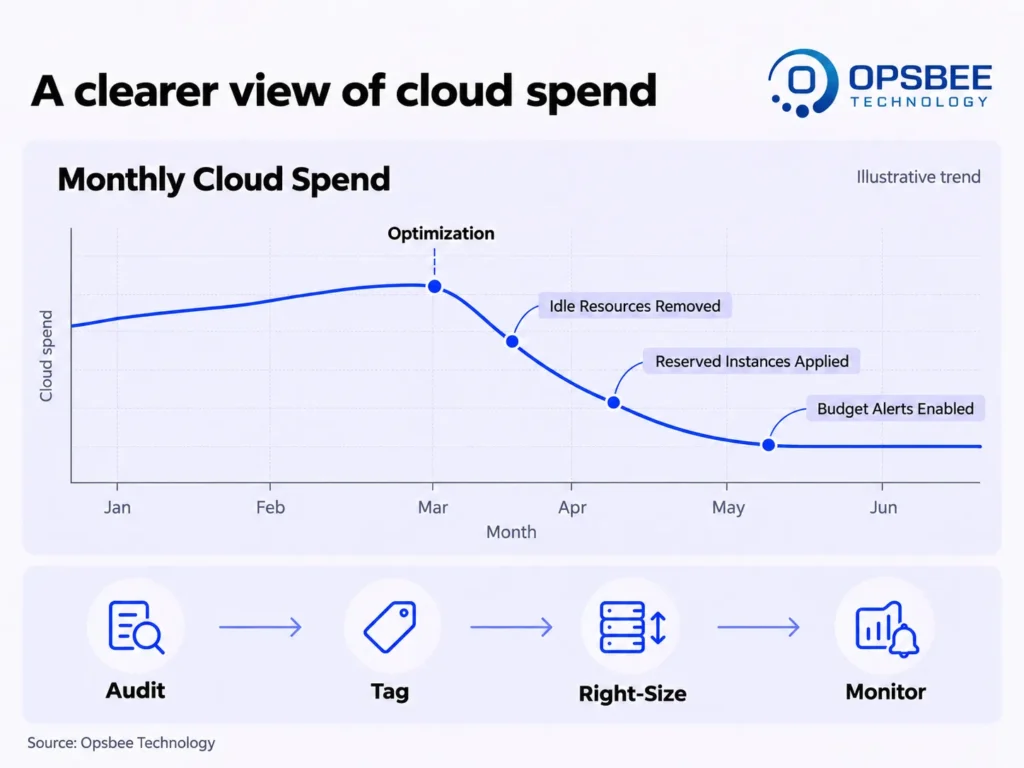
What needs to be done about it: Introduce standard resource tagging (by team, environment, and project) for all your cloud accounts. Otherwise, it will take forever to determine where those costs came from; with tagging, it will take no more than five minutes.
2. Idle or Unused Resources Are Still Running
Unused test environment resources that stay active over the weekend. Unused EC2 resources that you have forgotten when you created them. Storage volumes that aren’t attached anymore and belong to a project that was completed months ago. All of these things can accumulate quickly, and they can be one major reason behind resource wastage.
How to deal with it: Perform an audit every month for inactive resources through your cloud vendor’s internal tools (Trusted Advisor, Azure Advisor, and GCP Recommender).
3. Your Bill Keeps Growing, But Usage Isn’t
If the cloud bill continues to go up month after month while the corresponding traffic, users, or workload stays the same, there is an inefficiency in the system architecture design, and not in the business itself.
What needs to be done: The cost increase should be benchmarked against some measure of usage (requests per month, number of active users, volume of data processed) instead of simply comparing the bill. It almost certainly is a cloud optimization problem, and not a scaling one.
4. You’re Paying On-Demand Prices for Predictable Workloads
On-demand pricing works great, but it is also the most costly method of operating any service you need in the long term. If your primary workloads have been operating stably over several months using purely on-demand pricing, you are missing out on potential savings.
How to solve this issue: Optimize predictable steady-state workloads by leveraging reserved instances, savings plans, or committed use discounts. This would save you up to 30-60% in comparison to the on-demand pricing for the same workloads.
5. Multiple Teams Are Spinning Up Resources Without Oversight
In an expanding organization, increasing numbers of people have access to cloud resource provisioning. This helps in terms of efficiency but poses some risks without having any limits. The case of a developer who provisions resources “for just an hour” may very well end up being a running resource after three months.
What to be done: Implement budget alerting and approvals for resource provisioning exceeding certain budget limits. It is not necessary to introduce delays in the process, but it is necessary to detect the situation.
6. You Have No Alerts for Cost Anomalies
And if the only time you hear about an increase in the cost of something is in the bill you get every month, it is always too late by one month. Whatever it is that led to the increased costs has probably been happening for the whole month.
What you can do: Configure real-time alerts for any abnormal spending that takes place. Almost all cloud providers have this functionality in-built, and it is free.
7. Nobody “Owns” Cloud Cost Accountability
This is the underlying reason for many of the symptoms listed above. Cloud cost ownership that is not assigned to any specific individual or team results in everyone’s responsibility and nobody’s accountability – in other words, it will never get resolved at all.
The solution: Make sure there is clear accountability in place for cloud cost management and monitoring, be it through a FinOps function, a designated engineering leader, or even an external vendor performing these functions on your behalf.
Common Cost Leaks vs. Fixes
Cost Leak | Quick Fix |
Untagged resources | Enforce mandatory tagging policies at resource creation |
Idle dev/test environments | Auto-shutdown schedules outside business hours |
Unattached storage volumes | Monthly cleanup audits |
On-demand pricing for steady workloads | Reserved Instances / Savings Plans |
No budget alerts | Real-time anomaly detection and threshold alerts |
Over-provisioned instances | Right-sizing based on actual utilization data |
Recommended Cloud Cost Optimization Tools (2026)
These techniques are much simpler to sustain if one has the proper tools in place. The following are the tools that most people use to manage cloud costs:
Tool | Purpose |
AWS Cost Explorer | Native cost visualization and forecasting for AWS environments. |
Azure Cost Management | Built-in budgeting, alerts, and cost analysis for Azure workloads. |
Google Cloud Billing Reports | Cost breakdown and anomaly detection for GCP environments. |
Kubecost | Cost visibility and allocation specifically for Kubernetes workloads. |
CloudHealth (VMware Aria) | Multi-cloud cost governance, reporting, and optimization recommendations. |
Mistakes That Make Cloud Overspending Worse
- Cost optimization as a one-off cleanup exercise instead of a continuous activity
- Allowing all engineers unrestricted access for provisioning with no budget constraints
- Using the billing statement as the only method for detecting issues, instead of using real-time notifications
- Focusing solely on cost savings while ignoring performance impact
- Not including engineering in cost discussions Cloud Cost Optimization is a joint effort, not just an accounting function
How OpsBee Technology Helps Control Cloud Costs
Cloud cost management is not only about reducing resource utilization but also about creating visibility and automation in managing your cloud environment on a daily basis. In OpsBee Technology, we assist our customers to spot wastage, optimize their infrastructure size, and implement sustainable practices for managing cloud costs.
Our related services include:
Explore our full range of services at OpsBee Technology
Final Thoughts: Visibility Is the First Fix, Not the Last One
Each of these indicators can be traced back to one single problem: the lack of visibility into how much the cloud spend is being used for. And while solving this problem may sound difficult and may imply the complete replacement of infrastructure, it can actually be started by tagging, notifications, and audits.
Having established where the money is spent, making further decisions will become obvious.
So, if you have had an increase in cloud billing without any reason for this, take a closer look at this problem.
Contact our experts at OpsBee Technology today for a cloud cost review that shows you exactly where your budget is going, and where it doesn’t need to.